The “Survival Kit” of Chrome Extensions That Every Professional Should Have Installed in 2025
For the modern professional, your web browser isn’t just a window to the internet; it’s your office, your library, your meeting room, and your primary workspace. Using Google Chrome with its default settings in 2025 is like running a company with an empty desk and no phone. You’re giving up hundreds of hours of productivity every year.
The difference between an amateur and a “power user” lies in their ability to customize their tools. Chrome Extensions are the “power-ups” that transform your browser from a simple tool into a specialized, high-performance machine.
But the Chrome Web Store is a noisy, bloated marketplace. You don’t need 50 extensions slowing you down. You need a lean, powerful “survival kit.” We’ve curated the 7 essential, non-negotiable extensions that every single professional should have installed right now to reclaim their focus, security, and time.
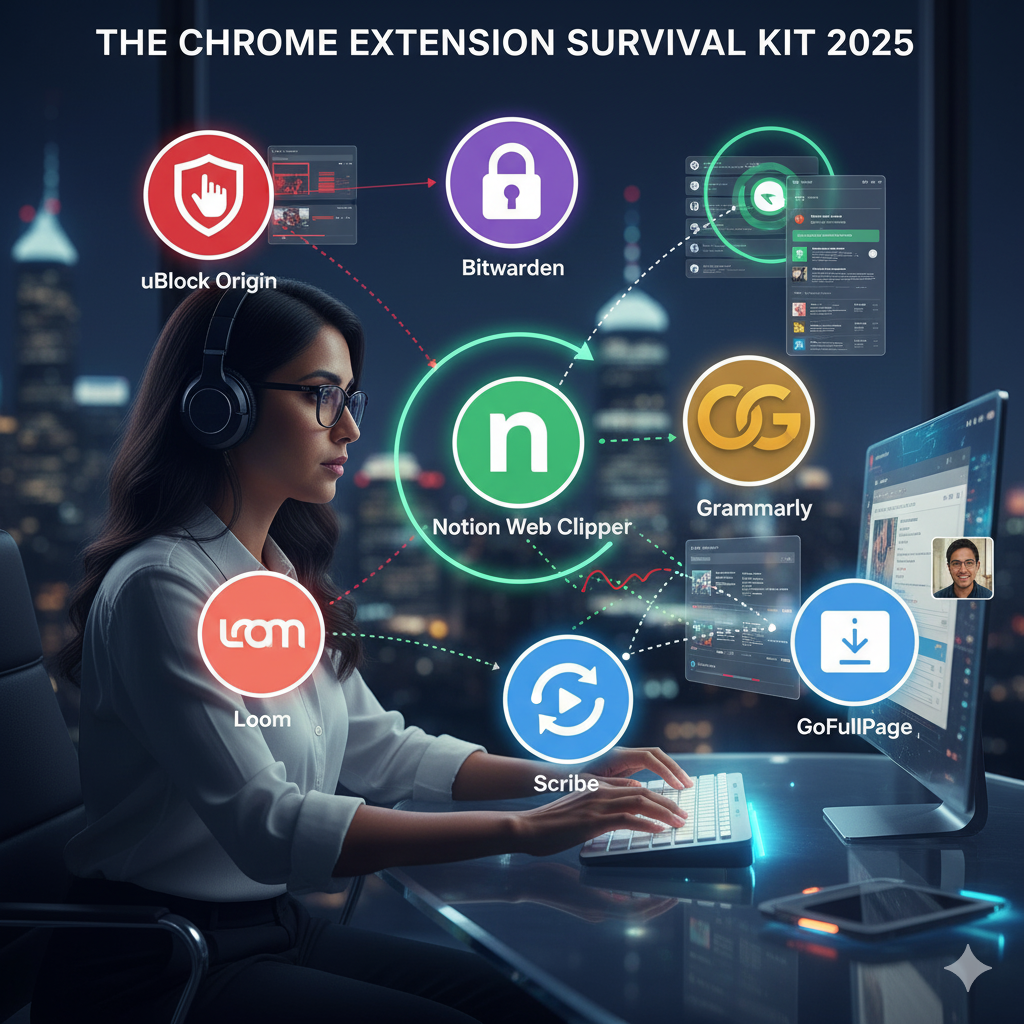
The 7-Piece Survival Kit
1. The Focus Shield: uBlock Origin
What it is: The undisputed king of ad-blockers. It’s lightweight, open-source, and ruthlessly effective.
Why it’s essential: This isn’t just about annoyance. Ads are a *productivity disaster*. They are designed to break your focus. They slow down page load times. They autoplay videos. And malicious “malvertising” can be a security risk. uBlock Origin is not just an ad-blocker; it’s a “focus-shield.” It’s the first thing you should install on any browser, period. It hands control of your attention back to you.
2. The Digital Keymaster: Bitwarden
What it is: A secure, open-source, and (most importantly) free password manager. (LastPass is a paid alternative).
Why it’s essential: Stop using the “same password” for everything. Stop “forgetting password” and wasting 10 minutes resetting it. A password manager is the single most important security *and* productivity tool you can have. It generates, saves, and auto-fills un-hackable passwords for every site. Bitwarden is the keymaster to your entire digital life, and it’s free.
3. The “Save” Button for Your Brain: Notion Web Clipper
What it is: The official extension that lets you save *anything* from the web directly into your Notion workspace with one click.
Why it’s essential: You find a brilliant article, a case study, or a competitor’s website. What do you do? Leave the tab open for 3 weeks? Bookmark it into a folder you’ll never see again? The Notion Web Clipper solves this. You click one button, choose a database (e.g., “Reading List,” “Swipe File”), and the *entire page* (or a clean, ad-free version) is saved and categorized in your “Second Brain.”
4. The Communication Safety Net: Grammarly
What it is: An AI-powered writing assistant that checks your grammar, spelling, and tone *everywhere* you type.
Why it’s essential: A simple typo in an email to a client or a senior executive can instantly damage your professional credibility. Grammarly is your universal safety net. It’s not just for Google Docs. It works in your Gmail, your LinkedIn messages, your Slack web client, and even your Tweet. The free version is all you need to avoid 99% of embarrassing mistakes.
5. The Instant Process-Maker: Scribe
What it is: An AI tool that automatically documents any process you do in your browser.
Why it’s essential: A team member asks, “How do I log in to the new vendor portal?” Instead of writing a 10-step email, you turn on Scribe. You perform the action once. Scribe watches your clicks and keystrokes and *automatically* generates a beautiful, step-by-step “how-to” guide, complete with annotated screenshots. You just saved 20 minutes. This is the ultimate “do-it-once” delegation tool.
6. The “Show, Don’t Tell” Communicator: Loom
What it is: A fast, easy-to-use screen and camera recorder.
Why it’s essential: This extension will kill 50% of your meetings. A manager asks for a “quick sync” to see your project update. A client is “confused” by your email. Instead of scheduling a 30-minute Zoom call, you click the Loom icon. You record a 2-minute video of your screen, talk over it, and send the link. The problem is solved in 2 minutes, asynchronously. It’s the “video voicemail” that remote teams run on.
7. The Full-Page Photographer: GoFullPage
What it is: A one-click, “full-page” screenshot tool.
Why it’s essential: You need to capture an entire website—not just the part you can see. The built-in screenshot tool is clunky and only gets “what’s visible.” GoFullPage solves this. You click one button. It scrolls the *entire* page for you and delivers a single, clean PDF or PNG of the whole thing. Perfect for saving landing page designs, capturing receipts, or reporting bugs to developers.
How to Install Your Kit (And What to Avoid)
Your action plan is simple:
- Go to the Chrome Web Store.
- Search for and install these 7 tools.
- Pin them to your toolbar: After installing, click the “puzzle piece” icon in your toolbar and click the “pin” icon next to each of these 7 extensions. This keeps them visible and one click away.
A Final Warning: Do *not* go on an “extension-spree.” Every extension you install uses a small amount of your computer’s memory (RAM) and can, in theory, see what you do in your browser. A “survival kit” is lean. It’s not 30 tools. Stick to this essential, vetted list, and you’ll have 99% of the power with 0% of the bloat.
Conclusion: Your Browser is a Tool. Sharpen It.
Your productivity as a professional is no longer measured by how “busy” you are, but by your “throughput”—how much value you can create. Using a “dull” browser is a self-inflicted handicap.
This 7-piece survival kit is your first step to becoming a true power user. Install it, learn it, and reclaim the hours you’ve been losing to friction, distraction, and manual work.